
- Company
- Press Center
- What is a PCIe SSD: How It Works, Types, How to Choose, and More
BLOG
2026.05.14
What is a PCIe SSD: How It Works, Types, How to Choose, and More
SHARE
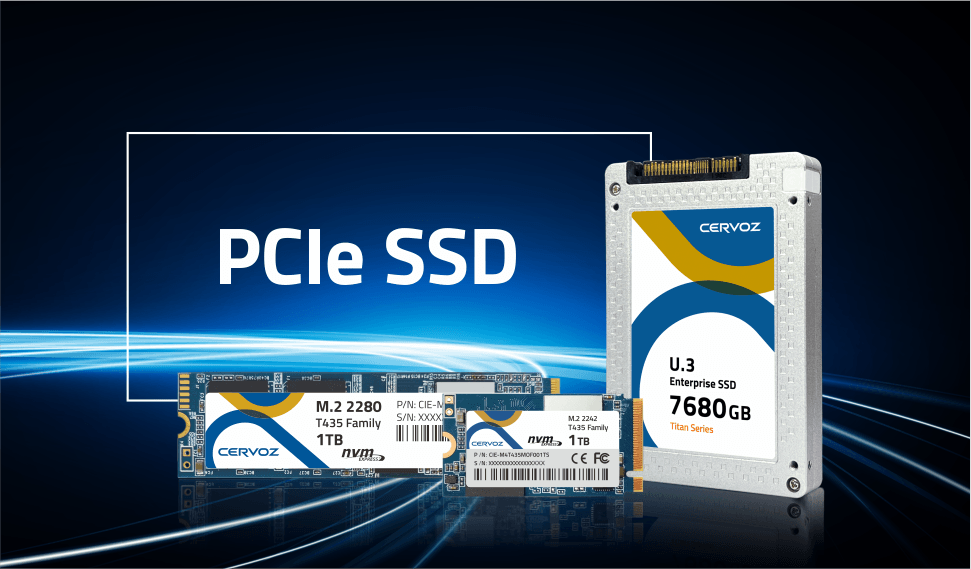
Modern applications, games, and data workloads demand faster storage, yet many systems still struggle with slow load times and limited bandwidth. Traditional drives often become a performance bottleneck. A PCIe SSD solves this problem by connecting directly to the motherboard through the PCI Express interface, delivering dramatically higher speeds and lower latency. In this guide, we explore the basics of PCIe SSD technology, how it works, and how to choose the right one for your system.
What is a PCIe SSD?
A PCIe SSD (Peripheral Component Interconnect Express solid-state drive) is a high-performance storage device that uses flash memory to store data and connects directly to a computer through a PCIe slot, M.2 slot, or U.2 slot on the motherboard. The term PCIe refers to the standard high-speed interface that connects a motherboard to critical components like SSDs, GPUs, or network cards. It serves as the "highway" for data transmission with high bandwidth and low latency. Compared with traditional storage devices such as SATA SSDs or hard disk drives, PCIe SSDs offer significantly faster data transfer speeds, lower latency, and quicker system responsiveness.See how PCIe SSDs achieve faster data access
Features of PCIe SSD
The advanced architecture of PCIe SSDs provides several practical advantages, other than its high speed, for modern computing systems.-
Extremely fast performance: PCIe SSDs deliver dramatically higher speeds than traditional interfaces. For example, PCIe Gen4 (x4 lanes) drives can approach sequential read speeds of over 7,000 MB/s, and newer Gen5 (x4 lanes) models can exceed 14,000 MB/s.
-
Instant system startup: With no moving parts and ultra-fast data access, systems equipped with a PCIe SSD can boot operating systems and launch applications in just seconds.
-
Ultra-low latency: Latency is the delay between sending a command and receiving a response. PCIe SSDs with NVMe protocol offer significantly lower latency than older legacy SATA technologies, making data processing faster and more responsive.
-
Simultaneous read and write operations: Unlike half-duplex SATA interfaces, PCIe supports full-duplex communication, meaning data can be read and written at the same time without performance loss. This improves efficiency during demanding I/O workloads.
-
Simple installation: For compact PCs, drives can be installed easily into an M.2 PCIe SSD slot on the motherboard. Once secured with a small screw, the drive is ready to be configured by the system.
Common Uses of PCIe SSD
Because of their exceptional speed and responsiveness, PCIe SSDs are widely used in systems where fast data access and high throughput are essential. From personal computers to enterprise infrastructure, these SSDs support a variety of performance-intensive applications.-
Gaming and high-performance PCs: Modern games often include large textures, open-world environments, and frequent asset streaming. A PCIe SSD significantly reduces game load times and allows data to be delivered quickly to the CPU and GPU.
-
Digital media production: Professionals working with video editing, animation, photography, and 3D modeling rely on fast storage to handle large files efficiently. PCIe SSDs allow editors to load high-resolution footage faster, preview complex timelines smoothly, and transfer large project files in seconds. This is particularly important when working with 4K, 6K, or 8K video and high-resolution RAW image files.
-
Software development: Developers frequently work with large code repositories, build environments, and virtual machines. A PCIe SSD can significantly reduce compilation times, speed up container deployments, and improve the performance of multiple virtual machines running simultaneously. This makes them valuable for development workstations and testing environments.
-
Data analytics and AI workloads: Applications such as machine learning, big data analysis, and scientific computing process enormous datasets. PCIe SSDs provide the high throughput required to load training data quickly, support large databases, and maintain fast input/output operations during data processing.
-
Enterprise servers and data centers: In enterprise infrastructure, PCIe SSDs are often used for database acceleration, high-traffic web services, financial systems, and cloud platforms. Their high IOPS (input/output operations per second) and low latency help ensure reliable performance under heavy workloads. Many data centers deploy PCIe storage to support real-time analytics, virtualization clusters, and high-availability storage systems.
How Does a PCIe SSD Work?
A PCIe SSD connects directly to the motherboard, allowing data to move quickly between the storage device and the rest of the system. Also, PCIe uses a point-to-point design, which means each device has its own dedicated connection instead of sharing a communication pathway with other parts. This means the drive does not have to compete for bandwidth, so it can send and receive data more efficiently. As a result, PCIe SSDs can deliver very fast read and write speeds and respond more quickly to data requests.To understand how this performance is achieved, it helps to look at several key technologies inside the drive.
Internal Storage Controller
At the heart of every PCIe SSD is an integrated storage controller. This component manages how data is written to and retrieved from the flash memory chips inside the drive.The controller handles tasks such as data organization, error correction, and wear leveling, which helps distribute data evenly across memory cells to extend the lifespan of the drive. Because this controller is built directly into the SSD, it allows the device to process storage operations efficiently without relying heavily on external chipsets.
NVMe Communication Protocol
Most modern PCIe SSDs operate using the NVMe (Non-Volatile Memory Express) protocol. NVMe was specifically designed for flash storage and high-speed PCIe connections. One of NVMe's major advantages is its ability to handle large numbers of parallel commands. Instead of processing requests one at a time, NVMe supports thousands of simultaneous queues and commands. This dramatically improves performance in workloads that require rapid data access.High-Speed Data Transfer
PCIe technology transfers data through multiple pathways called lanes. You can think of these lanes like highways for information. The more lanes available, the more data can travel at the same time. Each lane allows data to move in both directions simultaneously, which improves efficiency and overall speed.Most consumer PCIe SSDs or data-intensive workloads operate using a PCIe x4 configuration, meaning the drive uses four lanes to send and receive data. By using multiple lanes instead of just one connection, the SSD can handle far greater bandwidth than traditional storage interfaces.
Different Types of PCIe SSD
PCIe SSDs come in several types depending on their physical design (form factor) and the generation of the PCIe interface they support. While all PCIe SSDs use the same high-speed connection to communicate with the system, their size, installation method, and performance capabilities can vary.By Form Factor
The form factor determines the physical shape of the drive and how it connects to the motherboard.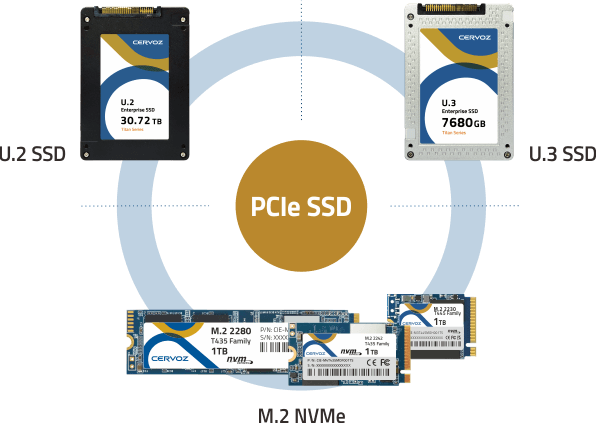
Differrent Types of PCIe SSDs by Form Factors
M.2 NVMe SSD
The M.2 form factor is the most common type of PCIe SSD used in consumer devices, edge AI, and machine vision. These drives are slim and compact, often compared to the size of a stick of gum. They plug directly into an M.2 slot on the motherboard, making them ideal for laptops, mini PCs, and fanless IPCs where space is limited.M.2 SSDs are usually identified by a four-digit number that indicates their dimensions. For example, 2280 means the drive is 22 mm wide and 80 mm long. This form factor balances compact size with strong performance, which is why it has become the standard for most modern systems.
PCIe Add-In Card (AIC)
PCIe add-in card SSDs look similar to traditional expansion cards, such as GPUs. Instead of using an M.2 slot, they plug directly into a PCIe expansion slot on the motherboard.These drives are commonly used in desktops or workstations where additional cooling or higher performance is required. Because they are larger than M.2 drives, they can be equipped with larger controllers, improved cooling systems, and sometimes multiple SSD modules on a single card.
U.2 and U.3 SSD
U.2 and U.3 drives are typically found in enterprise servers and high-end workstations. Although they resemble traditional 2.5-inch drives (which generally use SATA connectors), they use specialized connectors that allow them to communicate through the PCIe interface.These drives are designed for environments where reliability, heat management, and consistent performance are critical. Their larger physical size also allows better airflow and heat dissipation compared with smaller form factors.
| Form Factor | Physical Design | Typical Interface | Best For | Key Advantages |
| M.2 | Slim, gum-stick-sized module (e.g. 2280) | M.2 PCIe x4 slot | Laptops, fanless IPCs, compact PCs, edge AI applications | Compact size, easy installation, and broad compatibility |
| PCIe Add-In Card (AIC) | Expansion card similar to a GPU | PCIe x4 / x8 / x16 slot | Desktop PCs, workstations | Better cooling, higher performance potential, and multiple SSD modules are possible |
| U.2 / U.3 | 2.5-inch enterprise drive | U.2 / U.3 PCIe x4 slot | Servers, enterprise storage | Better thermal control, hot-swap capability, enterprise reliability |
By Generations
Another way to classify PCIe SSDs is by the generation of the PCIe standard they support. Each new generation increases the available bandwidth, allowing storage devices to achieve higher read and write speeds.PCIe Gen 3
PCIe Gen 3 was the dominant storage standard for many years and is still widely used today. Drives using this generation typically reach read speeds of around 3,500 MB/s, which is already several times faster than SATA SSDs. Gen 3 drives remain a practical choice for everyday computing, gaming, and legacy systems.PCIe Gen 4
PCIe Gen 4 significantly increases storage performance by doubling the bandwidth of Gen 3, from 8 GT/s to 16 GT/s. Many Gen 4 SSDs can achieve read speeds of around 7,000 MB/s or higher, making them popular for gaming PCs, machine vision, edge computing, and industrial automation.PCIe Gen 5
PCIe Gen 5 is the newest generation currently entering the market. These drives can reach speeds exceeding 14,000 MB/s, making them suitable for extremely demanding workloads such as large-scale data processing, AI development, and high-resolution video production. Because of their high performance, Gen 5 SSDs often require improved cooling solutions to manage heat.| Feature | PCIe Gen 3 | PCIe Gen 4 | PCIe Gen 5 |
| Release Era | ~2010s mainstream | ~2020 mainstream | Latest high-performance standard |
| Bandwidth per Lane | ~1 GB/s | ~2 GB/s | ~4 GB/s |
| Typical NVMe SSD Speed (x4) | Up to ~3,500 MB/s | Up to ~7,000 MB/s | Up to ~14,000 MB/s |
| Ideal Applications | Everyday computing, legacy systems, gaming PCs | Machine vision, edge computing, industrial automation, and gaming | AI workloads, large data processing, high-end workstations and servers |
| Cooling Requirements | Minimal | Moderate | Often requires a heatsink or active cooling |
PCIe vs SATA: What are the Differences?
When choosing an SSD by bus interface, two of the most common options are PCIe SSDs and SATA SSDs. Both use flash memory and offer much faster performance than traditional hard disk drives (HDDs), but they differ significantly in terms of speed, connection method, and communication protocols.SATA technology was originally designed for mechanical hard drives, while PCIe was developed to support high-performance components such as GPUs and modern flash storage. Because of this difference in design, PCIe SSDs are able to deliver much higher data transfer speeds and lower latency.
Speed and Bandwidth
The most noticeable difference between SATA and PCIe SSDs is data transfer speed.SATA SSDs are limited by the SATA III interface, which has a maximum theoretical speed of around 600 MB/s. This limitation exists because SATA transfers data through a single communication lane.
PCIe SSDs, in contrast, can use multiple data lanes, which significantly boosts bandwidth. For example, many PCIe SSDs use four lanes (x4) for data transfer. With PCIe Gen 3, this allows speeds of up to around 3,500 MB/s.
Physical Connection
Another major difference lies in how these drives connect to the system.Traditional SATA SSDs typically come in a 2.5-inch drive form factor and require two cables: one for data and one for power. The data cable connects the drive to a SATA port on the motherboard.
PCIe SSDs usually connect directly to the motherboard. Many consumer models use the M.2 slot, while others appear as PCIe expansion cards. This direct connection reduces communication delays and allows the drive to operate at much higher speeds.
Communication Protocols
The protocol used to communicate with the storage device also plays an important role in performance.SATA SSDs use AHCI (Advanced Host Controller Interface), a protocol originally designed for traditional hard disk drives (HDDs) with spinning disks. Because it was not built for modern flash storage, it is less efficient at handling high-speed data operations.
PCIe SSDs typically use NVMe (Non-Volatile Memory Express). NVMe was specifically designed for solid-state drives (SSDs) and high-speed PCIe connections. It supports a much larger number of simultaneous commands and greatly reduces processing overhead, resulting in faster and more efficient storage performance.
| Feature | SATA SSD | PCIe SSD |
| Maximum Speed | ~600 MB/s (SATA III) | Up to 14,000+ MB/s (PCIe Gen 5) |
| Communication Protocol | AHCI | NVMe |
| Connection Type | SATA cable or SATA M.2 slot | Direct motherboard connection (M.2 or PCIe slot) |
| Data Lanes | 1 lane | Typically 4 lanes |
| Latency | Higher | Much lower |
| Typical Use | Budget upgrades, general computing | Gaming, AI inference, machine vision, and edge AI |
Consumer vs. Industrial PCIe SSD: Why Reliability Matters?
Consumer PCIe SSDs are designed primarily for everyday computing, gaming, and creative workloads. They focus on delivering high speed at a competitive price, making them ideal for desktops and laptops.However, they are typically optimized for intermittent use, standard temperature ranges, and less demanding environments. Features such as power-loss protection, extended endurance, and strict validation are often limited. While they perform well in typical scenarios, they may struggle in applications that require continuous operation or exposure to harsh conditions.
Industrial PCIe SSDs are engineered for mission-critical environments where reliability is essential. They support wide temperature ranges, conformal coating to protect against moisture and dust, and advanced features like power-loss protection and error correction.
These drives undergo rigorous testing to ensure stable performance in industrial PCs, edge computing, and automation systems. For applications where downtime is costly, industrial-grade PCIe SSDs provide the consistency and durability that consumer drives cannot guarantee.
How to Choose the Right PCIe SSD for Your Needs?
Selecting the right PCIe SSD involves more than simply choosing the fastest model available. You need to consider system compatibility, performance requirements, and budget to ensure the drive works efficiently with your computer.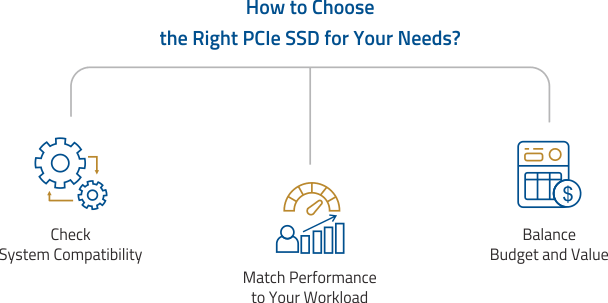
Check System Compatibility
Before purchasing a PCIe SSD, confirm that your computer supports the drive both physically and technically. First, verify that your motherboard includes an available M.2 slot or PCIe expansion slot. Most modern laptops and desktops support M.2 NVMe drives, while some workstations and servers may require PCIe add-in cards or U.2 drives.Next, check the M.2 slot type and keying. NVMe PCIe SSDs typically use an M key (supports PCIe x4 lanes) connector, while some M.2 drives with B+M keys may operate through the slower SATA interface.
You should also confirm the physical size supported by your system. The most common form factor is M.2 2280, but compact devices such as handheld gaming systems may require smaller sizes like M.2 2230.
Finally, identify the PCIe generation supported by your motherboard. While PCIe drives are backward compatible, installing a newer Gen 5 drive in a Gen 4 slot will limit the drive to Gen 4 speeds.
Match Performance to Your Workload
Choosing the right generation and capacity depends on your specific workload requirements. Here are some examples:-
For gaming systems, a PCIe Gen 4 SSD with at least 1 TB of capacity provides excellent performance for fast load times and large game installations.
-
For general computing, such as web browsing, office work, and everyday tasks, a PCIe Gen 3 SSD often provides more than enough performance while remaining cost-effective.
-
For data-intensive professional workloads, including AI training, large-scale analytics, or enterprise database systems, the extremely high throughput of PCIe Gen 5 drives may offer significant advantages.
-
For machine vision and automated optical inspection (AOI), where high-resolution cameras generate massive image data per second, PCIe Gen 4 or Gen 5 SSDs are essential to ensure rapid data comparison during real-time quality control.
-
For edge AI, which requires processing data with minimal delay, PCIe Gen 4 SSDs provide the necessary low latency and high IOPS to handle complex AI inference tasks efficiently.
Balance Budget and Value
Price is another important factor when selecting a PCIe SSD. Faster drives usually cost more, so it is helpful to compare the cost per gigabyte and overall value.For many users, PCIe Gen 4 drives offer the best balance between price and performance. While Gen 5 drives deliver impressive speeds, the performance difference may not be noticeable in everyday tasks, making Gen 4 the practical choice for most systems.
FAQs
Where are PCIe SSDs used?
PCIe SSDs are used in industrial PCs for reliable operation, edge AI for real-time data processing, automation systems for fast control and logging, high-performance computing for handling large datasets, and gaming or workstations for faster load times, smoother performance, and efficient handling of demanding applications and complex workloads.How do I install a PCIe SSD?
To install a PCIe SSD, first locate the compatible M.2 or PCIe slot on your motherboard. Insert the drive at a slight angle into the slot, gently press it down, and secure it with a screw. After installation, enter the BIOS or operating system to initialize, partition, and format the drive.Is PCIe SSD the same as NVMe SSD?
Not exactly. PCIe refers to the hardware interface that connects the SSD to the motherboard, while NVMe is the communication protocol used to transfer data efficiently over PCIe. Most modern PCIe SSDs use NVMe, which is why the terms are often used interchangeably in consumer storage discussions.Is a PCIe SSD faster than a SATA SSD?
Yes. PCIe SSDs are significantly faster than SATA SSDs because they use multiple data lanes and the high-speed PCI Express interface. While SATA SSDs are limited to about 600 MB/s, PCIe SSDs can reach several thousand megabytes per second depending on the PCIe generation.Do all motherboards support PCIe SSDs?
Not all motherboards support PCIe SSDs. Most modern systems include M.2 slots or PCIe expansion slots that support NVMe drives, but older motherboards may only support SATA storage. It is important to check the motherboard specifications to confirm compatibility and supported PCIe generations before purchasing a drive.What is the difference between PCIe Gen3, Gen4, and Gen5 SSDs?
The main difference is bandwidth and speed. Each new PCIe generation roughly doubles the available data transfer rate. PCIe Gen3 SSDs reach about 3,500 MB/s, Gen4 drives can exceed 7,000 MB/s, and Gen5 models can surpass 14,000 MB/s, enabling faster file transfers and improved performance for demanding workloads.Experience Industry-Leading Performance with Cervoz PCIe SSDs
As modern systems demand faster data processing and reliable storage performance, choosing the best PCIe SSD becomes increasingly important for industrial applications. From edge computing and automation systems to embedded platforms and data-intensive workloads, a high-quality PCIe SSD ensures stable operation, faster data access, and long-term durability.Cervoz offers industrial-grade M.2 NVMe SSDs designed specifically for industrial computers, embedded systems, and mission-critical environments. Built with strict quality control and extended lifecycle support, these solutions deliver high-speed performance, reliability, and compatibility for a wide range of industrial applications. Contact us today to learn more about our industrial M.2 NVMe SSDs and discover the right storage solution for your system.
