
- Company
- Press Center
- Understanding USB-C in Industrial Systems: Data, DisplayPort Alt Mode, and Power Delivery
Understanding USB-C in Industrial Systems: Data, DisplayPort Alt Mode, and Power Delivery
USB Type-C has become a common connector for embedded computers, industrial displays, cameras, storage devices, and other peripherals. Its compact and reversible design makes USB-C particularly useful in systems where installation space and connector accessibility are limited.
However, the USB-C connector does not define every function that a port supports.
Some USB-C ports support only USB data transfer. Some USB-C ports also support DisplayPort Alternate Mode for video output. Other USB-C ports support Power Delivery for connected devices. A full-featured USB-C port may combine data, video, and power through a single connection.
System designers must therefore evaluate the complete interface specification instead of relying on the connector type alone.
What Is USB-C?
USB-C, also called USB Type-C, defines a compact and reversible connector. Unlike USB Type-A, the USB-C connector can be inserted in either orientation.USB-C can potentially support:
-
USB data transfer
-
DisplayPort video output
-
USB Power Delivery
-
Audio transmission
-
A combination of data, video, and power
The physical connector does not guarantee that all these functions are available. The system motherboard, USB controller, display source, power circuit, firmware, cable, and connected device must all support the intended configuration.
Two embedded computers may use physically identical USB-C connectors while providing completely different capabilities.
Why Not All USB-C Ports Are the Same
USB-C describes the connector, but the underlying protocol determines what the connection can do.A USB-C port may provide only USB 2.0 data. Another USB-C port may support higher-speed USB data without video output. A third USB-C port may support USB data, DP(DisplayPort) Alt Mode, and Power Delivery.
This variation can create confusion during system integration. A USB-C peripheral may fit the port physically but still fail to provide the expected data, video, or power function.
System designers should verify each USB-C capability separately during platform selection and validation.
Not All USB-C Ports Are the Same
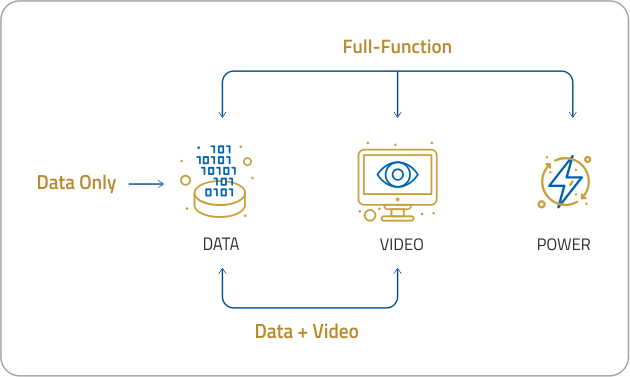
Three Key Functions of USB-C
USB data, DP(DisplayPort) Alt Mode, and Power Delivery are separate capabilities. A USB-C port may support one, two, or all three functions.One USB-C Connection. Three Functions.
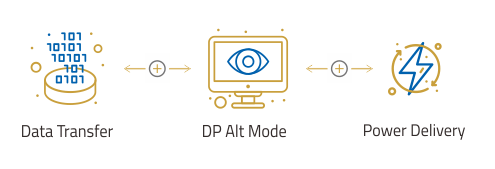
Actual capability depends on the complete system configuration.
(A full-function USB-C implementation can combine data, DisplayPort video, and power through one connection.)
USB Data Transfer
The USB interface transfers data between the host and connected peripherals. Industrial systems may use USB to connect cameras, storage devices, touch controllers, scanners, diagnostic tools, and other equipment.The actual transfer rate depends on several components:
-
USB controller
-
Host interface
-
USB specification
-
Cable capability
-
Connected peripheral
The USB-C connector alone does not indicate the supported data rate. System specifications should clearly identify whether the interface supports USB 2.0, USB 3.2, USB4, or another USB standard.
DisplayPort Alternate Mode
DisplayPort Alternate Mode, commonly called DP Alt Mode, allows a USB-C connection to carry DisplayPort video signals.USB-C includes multiple high-speed signal lanes. DP Alt Mode assigns some or all of these lanes to DisplayPort transmission. This configuration allows a compatible USB-C port to connect to an industrial monitor, touch display, control panel, or other display device without requiring a separate full-size DisplayPort connector.
A DP Alt Mode connection may also retain USB data and power functions. The available combination depends on the host design, lane configuration, display requirements, and connected device.
For example, one USB-C connection may carry:
-
DisplayPort video to a display
-
USB data from a touchscreen controller
-
Power to a compatible peripheral
This combination can reduce cable quantity and simplify system installation.
However, DP Alt Mode still requires a DisplayPort signal from the host platform. A USB controller or USB-C connector alone cannot generate a video signal.
USB Power Delivery
USB Power Delivery, commonly called USB PD, manages power negotiation between connected devices.The USB PD source and connected device communicate to determine the supported voltage, current, and power level. The available output depends on the power circuit and design of the host system.
USB PD should not be treated as a standard function of every USB-C port. Some USB-C ports provide only basic USB power, while other ports support negotiated Power Delivery.
System designers must confirm whether a USB-C port acts as a power source or power sink. System designers must also verify whether the available output can support the connected device.
For example, a 15W USB PD output may support selected compact displays and peripherals. A 15W output is not intended to replace the higher power required by notebook computers or high-power industrial equipment.
Why USB-C Integration Is Different in Industrial Systems
Consumer devices often integrate full-featured USB-C ports directly into the motherboard. Industrial platforms usually follow longer development and deployment cycles.An industrial system may continue using the same validated motherboard for many years. The motherboard may still provide sufficient computing performance, but the motherboard may not include USB-C, DP Alt Mode, or the required power output.
A complete motherboard replacement can introduce additional work, including:
-
Hardware qualification
-
Software and driver validation
-
BIOS verification
-
Mechanical redesign
-
Thermal evaluation
-
Supply-chain requalification
A modular expansion approach allows the system designer to add the required interface functions while retaining the existing computing platform.
This approach can reduce redesign effort and improve flexibility across multiple system configurations.
Industrial Applications for Full-Function USB-C
A USB-C interface that combines data, DP Alt Mode, and Power Delivery can support several industrial applications.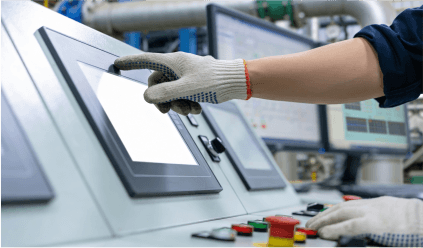
Industrial Human-Machine Interfaces
An industrial computer can transmit video to an operator display through USB-C. The same connection can also carry USB data from a touchscreen controller when the system supports simultaneous display and USB operation.
This configuration can simplify the connection between the computing unit and operator panel.
Medical and Diagnostic Equipment
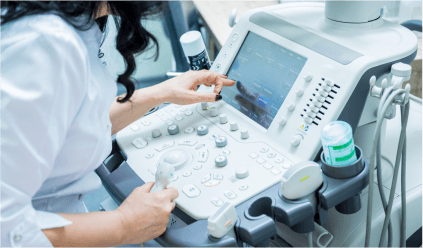
Medical carts, diagnostic systems, and portable imaging equipment often require compact external connections. An integrated USB-C interface can reduce cable complexity between the embedded computer, display, and supported peripheral functions.
Equipment designers must still validate electrical safety, power requirements, and application-specific certifications at the system level.

Kiosks and Self-Service Terminals
A kiosk can use USB-C for display output and touchscreen data. A reduced connector count can simplify internal assembly and maintenance.
A modular interface can also help manufacturers reuse the same computing platform across different terminal configurations.
Edge AI and Machine Vision Systems
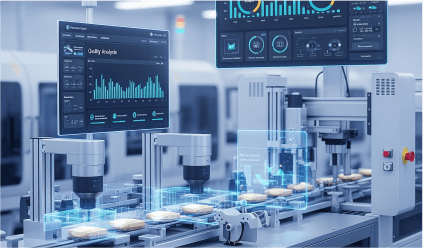
An edge system may require a local display for setup, diagnostics, monitoring, or maintenance. USB-C with DP Alt Mode can provide a compact connection for a service display without adding a full-size external display connector.
The system can continue using separate high-bandwidth interfaces for cameras and other primary data sources.
Mobile Robots and Automated Equipment
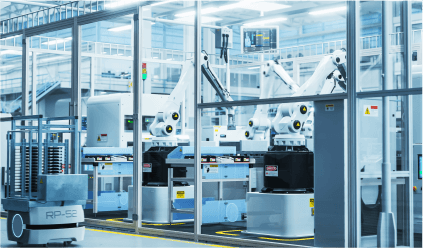
A mobile robot or automated machine may require a local interface during commissioning and maintenance. A USB-C connection can support an integrated or temporary operator display while reducing the number of service connectors.
System designers must still evaluate vibration, connector retention, cable routing, and environmental exposure before deployment.
What System Designers Need to Verify
Successful USB-C integration requires validation of the complete signal and power path.USB-C Integration Checklist
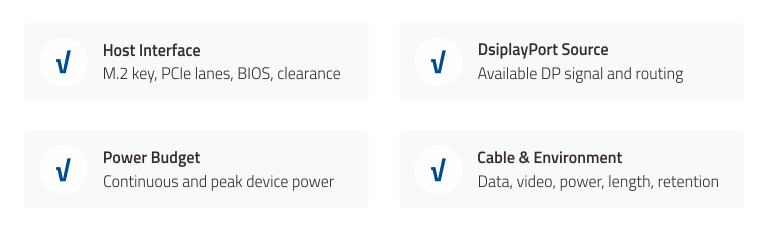
(System designers should verify the host interface, DisplayPort source, power budget, cable capability, and operating environment.)
Host Interface Compatibility
The embedded platform must provide the interfaces required by the expansion module. System designers should confirm the M.2 key type, PCIe lane allocation, BIOS support, and mechanical clearance.DisplayPort Signal Source
DP Alt Mode requires a DisplayPort source from the host platform. System designers must confirm that the motherboard or graphics subsystem can route the required DisplayPort signal to the expansion solution.An expansion card cannot create a display signal when the host system does not provide one.
Power Budget
The connected peripheral must remain within the available power output. System designers should calculate both continuous and peak power consumption.Cable Capability
The USB-C cable must support the required combination of data, video, and power. A charge-only cable cannot carry USB data or DisplayPort video.System designers should use an appropriately specified cable and validate the final cable length under actual operating conditions.
Operating Environment
System designers should evaluate temperature, vibration, mechanical retention, electromagnetic compatibility, and connector durability.The final equipment design must provide the protection required by the deployment environment.
Expanding USB-C Functionality Through M.2
For industrial systems built around validated computing platforms, adding new connectivity does not always have to start with a motherboard redesign.M.2 provides a modular path for extending platform functionality while preserving the existing system architecture. With the right host interfaces and signal routing, an M.2 expansion approach can open new possibilities for bringing USB-C data, display, and power capabilities into space-constrained embedded systems.
What if the M.2 slot already in your system could do more?
Building the Right USB-C Connection for Industrial Systems
USB-C can simplify industrial connectivity, but the connector alone does not define the complete system capability. The host platform, expansion hardware, display source, power design, cable, and connected device must work together.USB data provides connectivity for peripherals. DP Alt Mode enables DisplayPort video through USB-C. USB Power Delivery provides negotiated power to compatible devices. When these functions are properly integrated, USB-C can reduce connection complexity while extending the capabilities of existing embedded platforms.
For system designers, the question is no longer simply whether a platform has USB-C. The more important question is how USB-C can be added without compromising the platform already in place.
Cervoz is preparing a new approach to that challenge. More details are coming soon.
